
| Device | Hard drive |
|---|---|
| Manufacturer | Seagate |
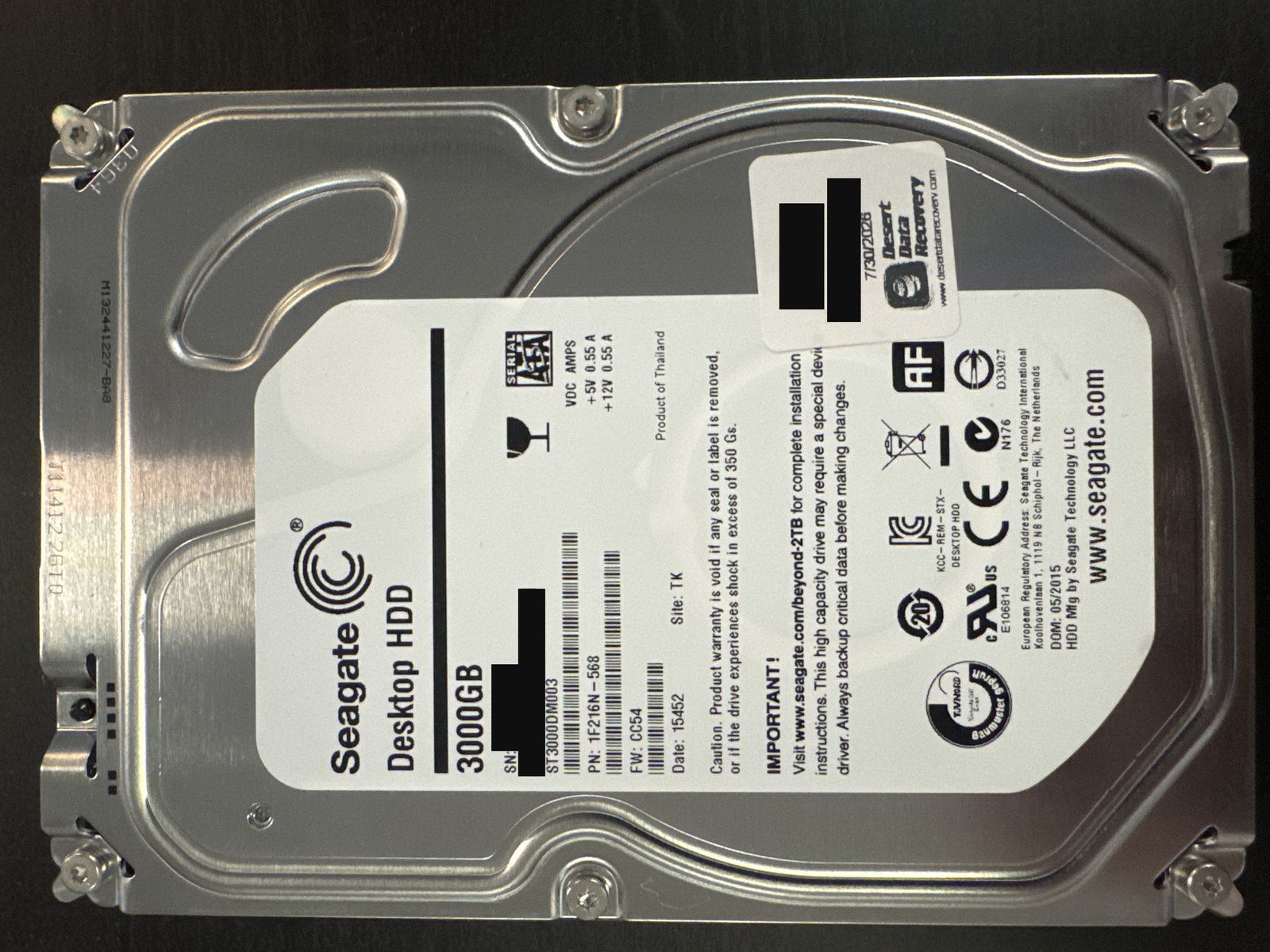
| Model | ST3000DM003 (Desktop HDD) |
| Capacity | 3 TB |
| Interface | SATA |
| Outcome | Full recovery |
Serial numbers and any customer-identifying details are deliberately omitted.
What came in
A 3 TB Seagate Desktop HDD (ST3000DM003) that had stopped giving up its data. It arrived with several problems at once — a common story on this generation of Seagate 3 TB drives, which have a well-documented history of failure.
What we found
Four faults stacked together: failing read/write heads, firmware/service-area corruption, bad sectors across the surfaces, and logical (file-system) damage on top. Each of those alone is a real recovery; together they had to be worked in the right order, because the firmware and the weak heads had to be dealt with before the drive could be imaged at all.
What we did
We started at the firmware level — repairing the drive's corrupted firmware/service area so it would initialise and read stably rather than stalling. With the drive brought back to a readable state, we imaged it in full with the PC-3000, working carefully through the bad sectors and the weak areas so as much data as possible was captured cleanly. Once we had a complete image, we performed a logical rebuild of the Windows NTFS file system from the recovered data to put the folders and files back in order and complete the extraction.
Outcome
Full recovery.
This is the same troubled Seagate 3 TB generation we see fail inside RAID and NAS arrays. The order of work is the point: with firmware corruption blocking access, no imaging can start until the service area is repaired — only then can the PC-3000 read around the bad sectors and weak heads to build a usable image, after which the NTFS rebuild is comparatively routine. See our hard drive data recovery service.
Dealing with something similar? See our hard drive data recovery service, browse more cases in the case log, or read about what makes recovery hard.
Have a hard drive in similar shape? Start with a free evaluation — we'll tell you honestly what's possible with your device.
Request free evaluation →Free evaluation · No data, no fee · Talk directly with a technician.