
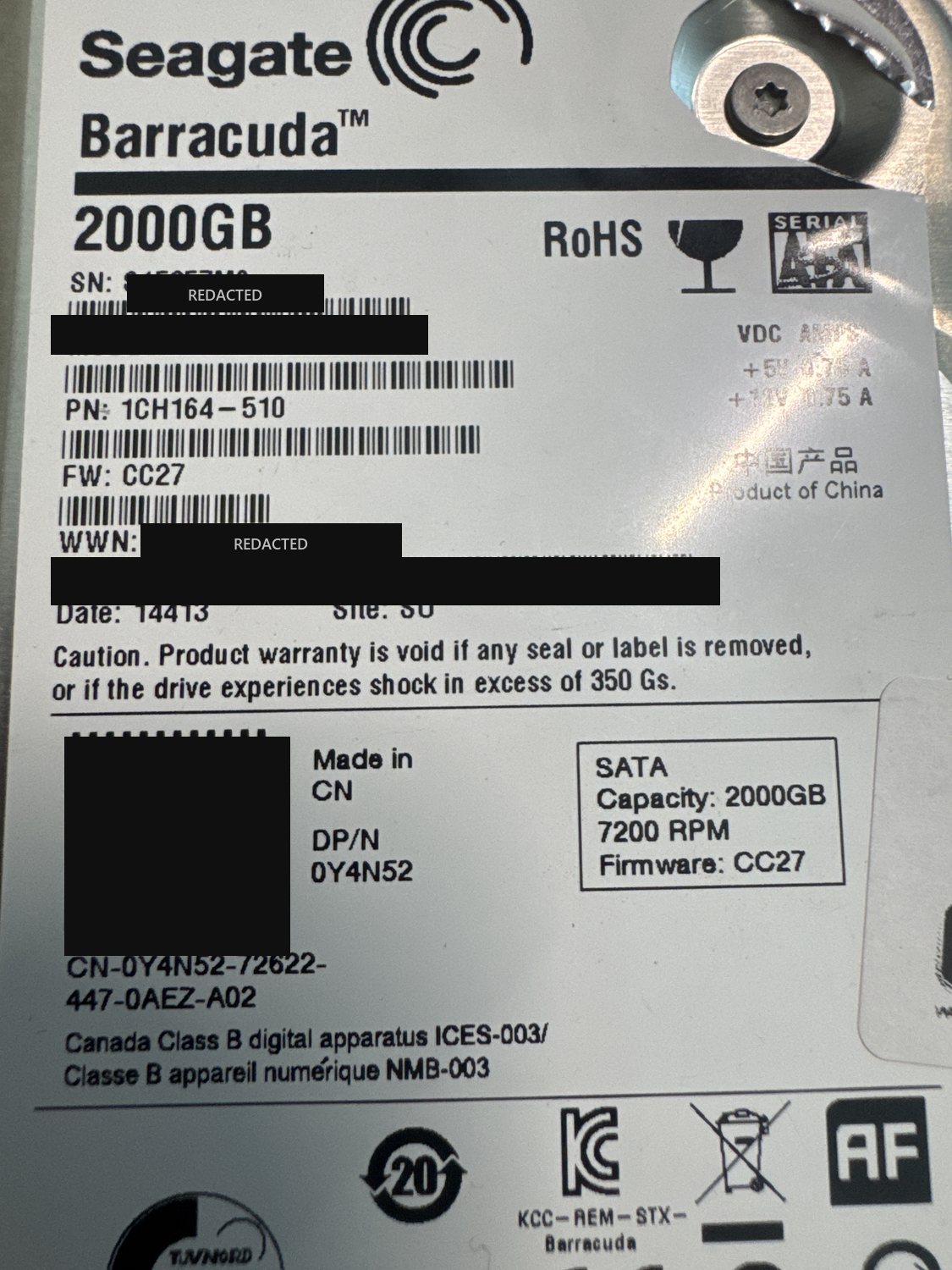
| Device | Hard drive |
|---|---|
| Manufacturer | Seagate |
| Model | ST2000DM001 (Barracuda) |
| Capacity | 2 TB |
| Interface | SATA |
| Outcome | Full recovery |
Serial numbers and any customer-identifying details are deliberately omitted.
What came in
A 2 TB Seagate Barracuda (ST2000DM001, a Dell OEM unit, firmware CC27) that had stopped giving up its data. The ST2000DM001 comes from a Seagate generation with a well-documented history of high failure rates, and this one had failed in more than one way at once.
What we found
Three problems stacked on top of each other. At the firmware level the drive's system area was damaged, so it would not initialise normally. There was logical damage to the file system on top of that. And underneath both, a physical head failure — head 2 was the main fault point — meaning part of the surface could not be read reliably even once the firmware was sorted out. Any one of these on its own is a real recovery; together they had to be solved in the right order or the later steps could not run.
What we did
The physical failure came first: with head 2 gone, we replaced the read/write head stack in our cleanroom so the drive could read its surfaces again. From there we worked at the firmware level — the drive's ROM was patched to get past the corrupt system area and regain access, which gave us entry to the drive's service area (system area). With that access we backed up the system area so we had a safe copy of the drive's own firmware modules, then applied firmware repairs to keep the drive reading stably through imaging. We imaged it sector by sector, prioritising the good surfaces and working the weak areas carefully. Once we had the image, we logically rebuilt the file system from the recovered data and transferred the client's files out onto fresh media.
Outcome
Full recovery.
What makes this case is the order of operations. A cleanroom head-stack swap fixed the mechanics, but on this Seagate generation a fresh set of heads is not enough on its own — the corrupt system area still blocked normal access. Patching the ROM to reach the service area, backing it up, and repairing the firmware is what actually let the drive read stably enough to image after the swap. Miss either half and the recovery stalls. It is the same troubled Seagate generation we see fail in RAID arrays too. See our hard drive data recovery service for how these cases run.
Dealing with something similar? See our hard drive data recovery service, browse more cases in the case log, or read about what makes recovery hard.
Have a hard drive in similar shape? Start with a free evaluation — we'll tell you honestly what's possible with your device.
Request free evaluation →Free evaluation · No data, no fee · Talk directly with a technician.