
| Device | Hard drive |
|---|---|
| Manufacturer | Western Digital |
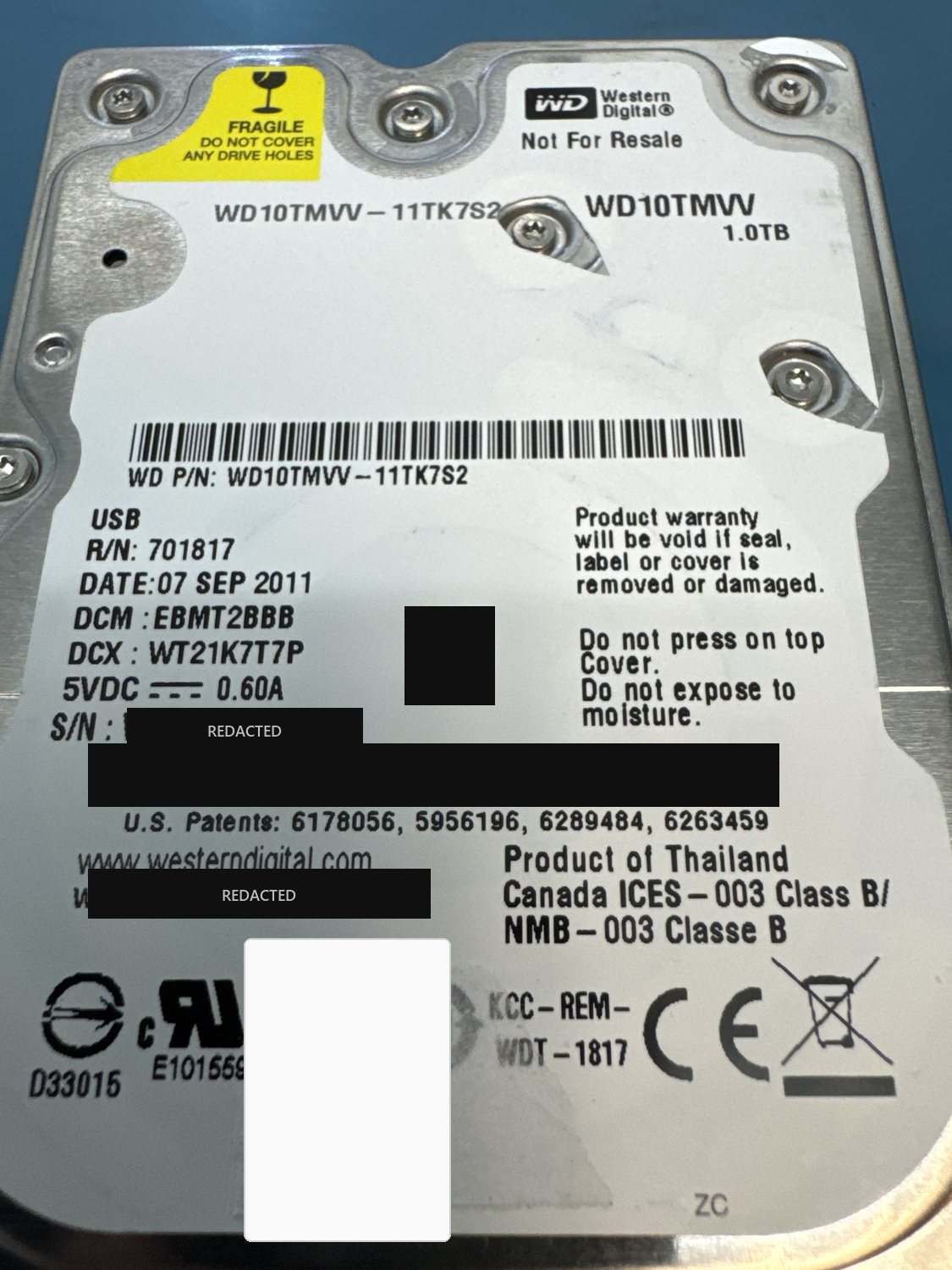
| Model | WD10TMVV-11TK7S2 (My Passport USB, self-encrypting) |
| Capacity | 1 TB |
| Interface | USB 2.0 |
| Outcome | Full recovery |
Serial numbers and any customer-identifying details are deliberately omitted.
What came in
A 1 TB Western Digital My Passport USB drive (model WD10TMVV) that had stopped working. It is a hardware-encrypted, self-encrypting portable drive, and it arrived with failing read/write heads — a mechanical failure stacked on top of the encryption. It had also already been to another recovery company before it reached us.
What we found
Two hard problems layered together. Mechanically, the drive's read/write heads were failing, so the platters could not be read reliably. On top of that, this is a self-encrypting drive (SED): the data on the platters is hardware-encrypted, and the encryption key is tied to the drive's USB bridge board — so even once the mechanics were sorted out, the raw data would come off as unreadable ciphertext without first recovering that key.
What we did
The mechanical failure came first: the failing heads were replaced in our cleanroom, and this drive needed not one but two separate read/write head-stack replacements before it would read stably. To then work at the firmware level, we converted the drive's USB board to a SATA board. That conversion matters: it gives our recovery hardware direct, low-level access to the drive instead of everything passing through the USB interface — which makes the imaging far more stable, and, critically, opens up the firmware-level repair that a USB connection simply does not expose. From there we used a firmware loader to reach the service area, holding the drive back from its normal identification sequence (which would otherwise hang on the damaged heads). We backed up the drive's system area, then applied firmware repairs to account for the bad head and to handle reallocated sectors during imaging. With the drive finally readable, we located the encryption key held in the firmware and bound to the USB board, loaded it into memory so the data would decrypt on the fly, and imaged the drive with Data Extractor — copying the fully decrypted result out for the client.
Outcome
Full recovery.
This case had three layers, each of which defeats most attempts on its own: a mechanical head failure that needed two head-stack replacements, firmware and service-area damage tied to the bad heads and reallocated sectors, and hardware encryption whose key is bound to the drive's USB board. This drive had also already been to another recovery lab before it reached us. Getting the data out meant handling all three layers in the right order: repair the mechanics, repair the firmware so the drive could be read, then recover the encryption key and load it into memory so the image came out as readable files rather than scrambled ciphertext. It is the same hardware-bound-key reality we cover for self-encrypting drives.
Dealing with something similar? See our hard drive data recovery service, browse more cases in the case log, or read about what makes recovery hard.
Have a hard drive in similar shape? Start with a free evaluation — we'll tell you honestly what's possible with your device.
Request free evaluation →Free evaluation · No data, no fee · Talk directly with a technician.