
| Device | SSD |
|---|---|
| Manufacturer | Western Digital |
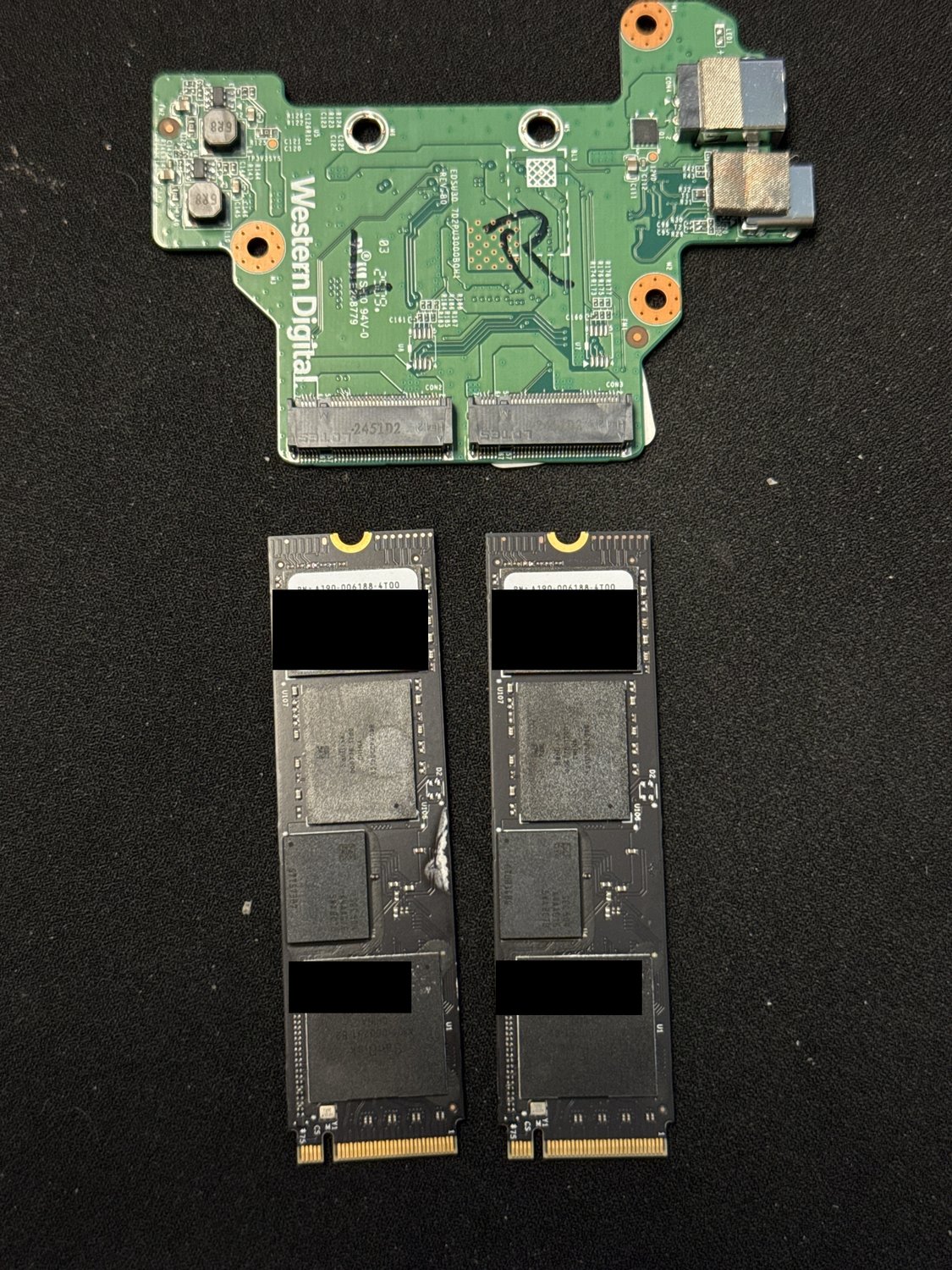
| Model | WD_BLACK SN850X ×2 (NVMe RAID 0) |
| Capacity | 8 TB (2 × 4 TB, striped) |
| Interface | NVMe (M.2), in a two-bay USB enclosure |
| Outcome | Full recovery |
Serial numbers and any customer-identifying details are deliberately omitted.
What came in
A two-bay NVMe enclosure running as a striped set (RAID 0) — two 4 TB WD_BLACK SN850X SSDs formatted on a Mac as a single 8 TB APFS volume — that had stopped mounting. Because a stripe has no redundancy, either SSD failing outright would take the whole 8 TB volume with it, so both drives had to be treated as fragile from the moment they came in.
What we found
When we looked at each SSD on its own, both were reading in a weakening state at the NAND level, with their health indicators well outside the normal range — not one bad drive and one good spare, but two drives heading the same direction at once. On top of the media condition, a RAID 0 can't be read at all until the exact layout the enclosure used is known: which SSD is first, how big each stripe block is, and where on each drive the data actually starts. That enclosure's controller doesn't publish any of it, so the geometry had to be worked out from the data itself before a single file could be interpreted.
What we did
First, imaging. Both SSDs were pulled from the enclosure and imaged sector-for-sector to stable lab storage before any analysis, using error-tolerant hardware and multiple passes so as much as possible came off each drive while the failing NAND was stressed as little as possible. Both drives imaged to completion, and from that point on every bit of work was done against the images, never the originals. Then the array rebuild — done entirely from the images. We recovered the drive order and stripe size by matching APFS's own self-describing metadata (checkpoint superblocks, object maps, B-tree nodes, each of which records its own address inside the container) against where each candidate geometry predicted those records should physically sit; the blocks lined up at a 1024 KB stripe with the SN850X in bay 1 as the first member. The filesystem then opened but about half the file data came back corrupt — the tell that the starting offset was still wrong. It turned out the enclosure reserves the first 1 MB of the second drive for itself, so that drive's stripe data begins 2,048 sectors in rather than at sector 0; correcting for that put the live object map and the superblock copies exactly where the corrected layout predicted. One added wrinkle: the second SSD had at some point been plugged into a Windows machine and initialised, which wrote a fresh partition table and zeroed the first and last 1 MB of the drive. Both of those regions sit in the enclosure's reserved space, outside the array, so nothing was lost — but it initially masked the correct offset and had to be accounted for. With the virtual array assembled on the corrected geometry, we mounted the APFS container from its most recent valid checkpoint rather than the stale copy in block zero, rebuilt the filesystem in full, and extracted the client's data to a fresh destination drive.
Outcome
Full recovery.
A striped enclosure buys you speed and zero fault tolerance — and the controllers use undocumented layouts you cannot guess, so recovery starts by reverse-engineering the geometry from the filesystem's own metadata before any data means anything. Two lessons sit inside this one. First, when a striped array stops mounting, the drives should not be reinitialised, reformatted, or handed to a system that offers to "fix" them — the Windows initialisation here was harmless only by luck of where it wrote. Second, the honest order of work never changes: image first, analyse second, and never work on the originals. Because the layout has to be discovered rather than read, a case like this is exactly why a recovery timeline can't be promised up front. See our SSD and RAID data recovery services, and our note on Macs that won't boot an APFS volume.
Dealing with something similar? See our ssd data recovery service, browse more cases in the case log, or read about what makes recovery hard.
Have a ssd in similar shape? Start with a free evaluation — we'll tell you honestly what's possible with your device.
Request free evaluation →Free evaluation · No data, no fee · Talk directly with a technician.