
| Device | RAID |
|---|---|
| Manufacturer | HPE |
| Model | SmartArray server — RAID 6 + RAID 5 |
| Capacity | 12 × 1.8 TB SAS |
| Interface | SAS |
| Outcome | Full recovery |
Serial numbers and any customer-identifying details are deliberately omitted.
What came in
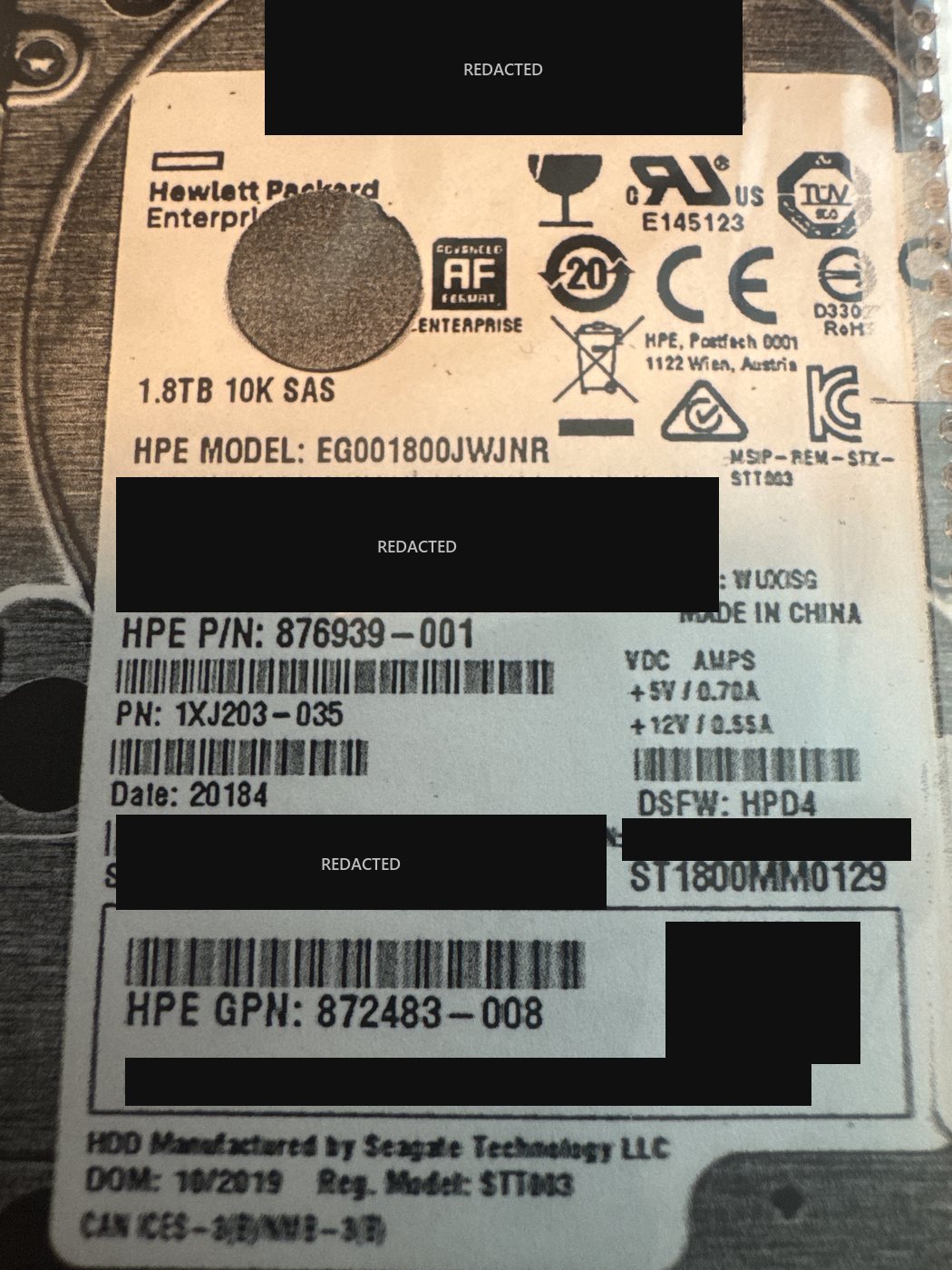
A single business server running two separate arrays off one HP SmartArray controller — twelve drives in total, split into a five-drive RAID 5 and a seven-drive RAID 6. The RAID 5 had suffered no significant drive failures; its problem was the controller dropping offline. The RAID 6 was in far worse shape: three of its member drives had failed, and some had quietly fallen out of the array months earlier without being replaced. The server hosted the client's virtual machines, so effectively the whole business was on it.
What we found
The first thing to resolve was the array itself. The RAID 6 had been described to us as a six-drive set; it actually had seven members. That sounds like a detail, but it is not — get the member count wrong and every subsequent assumption about drive order, rotation and parity position is wrong with it. Both arrays were built on HPE enterprise 1.8 TB 10K SAS drives. SMART data told the real story: these were decommissioned data-centre drives carrying roughly six years and nine months of prior operational runtime before they were ever installed in this server, and their reallocation reserve was already exhausted on day one. That matters enormously — once a drive has no spare sectors left, any new bad sector that develops in service simply cannot be remapped, and the data in it is gone. The RAID 6 used HP's ADG double-parity scheme: left-asymmetric (backward) parity distribution, a 256 KB per-drive chunk, a parity delay of 16, and Reed-Solomon Q-parity computed over HP's proprietary 0x14d Galois-field polynomial. Because members had dropped out at different times months apart, their contents were out of sync with each other — so working out the correct drive order and rotation was as much of the problem as the failed hardware.
What we did
Three of the failed RAID 6 members needed head swaps in the cleanroom before they would even respond well enough to be read. All of the server's drives were then imaged individually — nothing was ever rebuilt on the original hardware, and the controller was taken out of the equation entirely. Working from those images, we established the array's true geometry: drive order, block size, rotation and parity delay, and identified which member was stale so it could be excluded rather than poisoning the reconstruction with out-of-date data. The array was then assembled virtually with a single disk deliberately left out — RAID 6's double parity absorbs one absent member — and the result was verified before anything was extracted: the GPT header signature ('EFI PART') present at sector 1, a correct protective MBR at sector 0, every partition confirmed aligned to the stripe boundary, and file-level checks confirming the output was genuinely correct rather than merely plausible.
Outcome
Full recovery.
The failure that mattered here happened before the server was ever switched on. Enterprise SAS drives are generally rated for around five years of data-centre duty, and these had already served nearly seven — with their spare-sector pool used up — when they were put into production. From that point the array had no margin: as drives dropped out one by one and were not replaced, the survivors kept accumulating bad sectors that physically could not be remapped, and the controller carried on in a degraded state with no fault tolerance left. If you are buying or inheriting a server, the single most useful thing you can do is check the SMART power-on hours and reallocation reserve of every drive in it before you trust it with anything. There is also a lesson in the drive count. The RAID 6 was reported to us as a six-drive set and turned out to have seven members — documentation and recollection drift over the years of a system's life, especially when drives get swapped or added along the way. It is a good illustration of why a recovery lab derives the array configuration from the drives themselves rather than accepting the reported setup: had we taken the six-drive description at face value, every conclusion about drive order and parity rotation built on top of it would have been wrong. Two other points worth noting: nothing was rebuilt on the original controller — with multiple members down, a rebuild is the fastest way to turn a recoverable array into a lost one, which we cover in RAID rebuild vs. data recovery — and the fact that drives had fallen out months apart meant establishing the correct order and identifying the stale member was as critical as the head swaps themselves. See also RAID 5 with two drives down.
Dealing with something similar? See our raid data recovery service, browse more cases in the case log, or read about what makes recovery hard.
Have a raid in similar shape? Start with a free evaluation — we'll tell you honestly what's possible with your device.
Request free evaluation →Free evaluation · No data, no fee · Talk directly with a technician.